
Now that we've read all about snippets, let's see how they work. If you haven't read the info yet, give it a try!
What started me on the journey to learning about snippets was the simple wish to add a section of background color to a page that looked like this (to make it easier to read):
First, I used the Properties Inspector to create the type of coding I wanted, and then I copied that code. As the DW Help menu tells us, to create a snippet, "click the New Snippet icon at the bottom of the panel". I did, and the following image shows what came up. As you can see, I pasted my copied code into the snippets code dialog box, and gave it a name and a description.
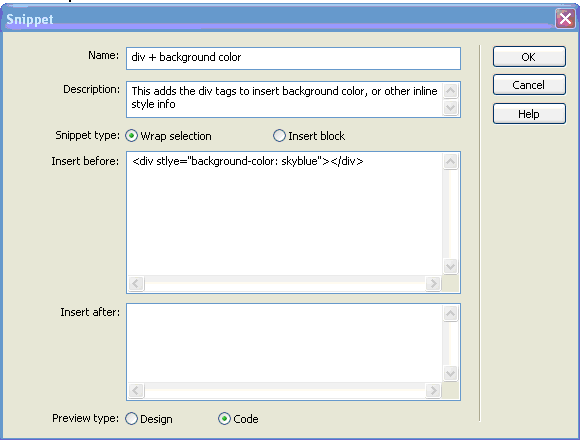
The snippet I created appeared in the Snippets panel (to the right of the Files and Assets panels), and looked like this:
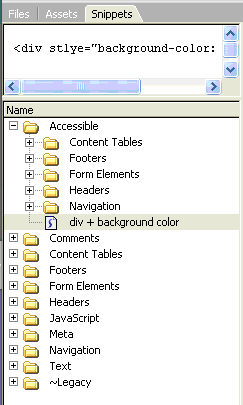
To insert a snippet, go to the code view, and place the insertion point where you want to insert the code snippet. Then go to the snippets panel, and double-click the snippet you wish to insert. Here's the result I got:

At that point, I decided white really would be better, so I decided to edit the snippet by selecting the snippet in the snippets panel, and clicking the Edit Snippet button at the bottom of the panel. Then, I inserted my snippets code again, and this is what the edited code looked like (though the picture doesn't show the close of the </p> and </div>):

To see what my page now looked like, click this image below for an enlarged view:

Just to be sure I knew what I was doing, I edited my code again, changing it to sky-blue, and adding a paragraph:
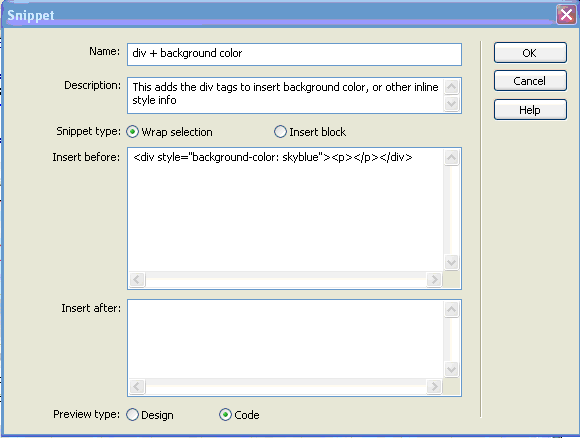
When I inserted this:  , I got this:

Now I got BRAVE, and inserted one of DW's preset snippets. Here's the navigation bar choices:

I selected the basic tabs code snippet, double-clicked it, and this was the result:

At this point, it doesn't take much to modify the snippet of code to suit your fancy.

Within a short while, this is the results I had (hmm - must have changed the background back to white!):

Then, I felt so proud of myself, I tried it again! This time, I created something useful: a navigation bar for these pages. Here's what it first looked like:

It didn't take too long to set it up to suit my needs - and there you have it!
I am a believer!!
Snippets will forever and anon be a part of my life. They're easy, they're fun, and they are tremendously useful. The drawback is that they are static - you can't change an entire series of pages by just editing one snippet. In this sense, they're not like templates, or CSS style sheets. Each snippet only affects one small part of the code. However, that's precisely their advantage. For little things, like inserting a copyright, or the date, you can format the code you want, and insert it and/or edit it however you see fit. Yes, it's snippets for me!